Brenna

How it works

Brenna closes the loop.

From creating a clear update in under a minute to keeping authorised family members informed, tracking who has read it and automatically documenting the communication in your clinical system, Brenna takes care of the whole process.

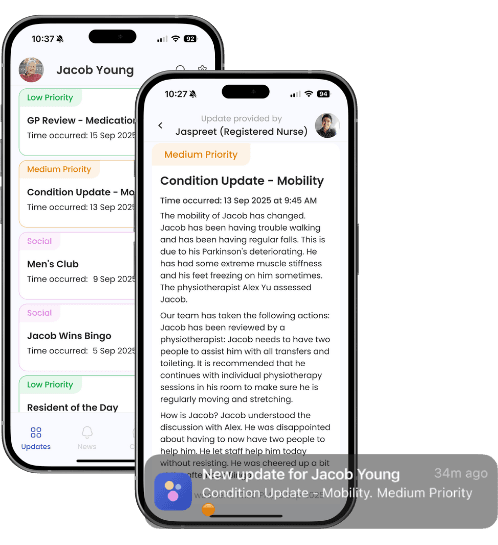
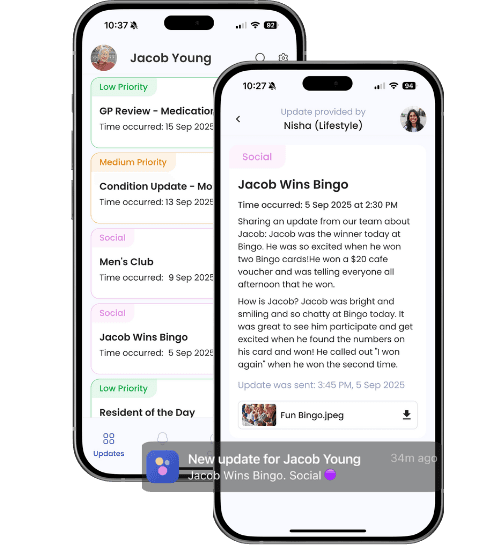
The Brenna family app with a clinical update: a condition update about mobility, and a push notification

See How Brenna Works in Just 2 Minutes

Watch how Brenna makes it easy for care teams to keep families informed, save valuable nursing time and maintain clear communication records.

See how families receive timely updates about their loved one's care and everyday moments, helping them feel informed, reassured and connected, wherever they are.

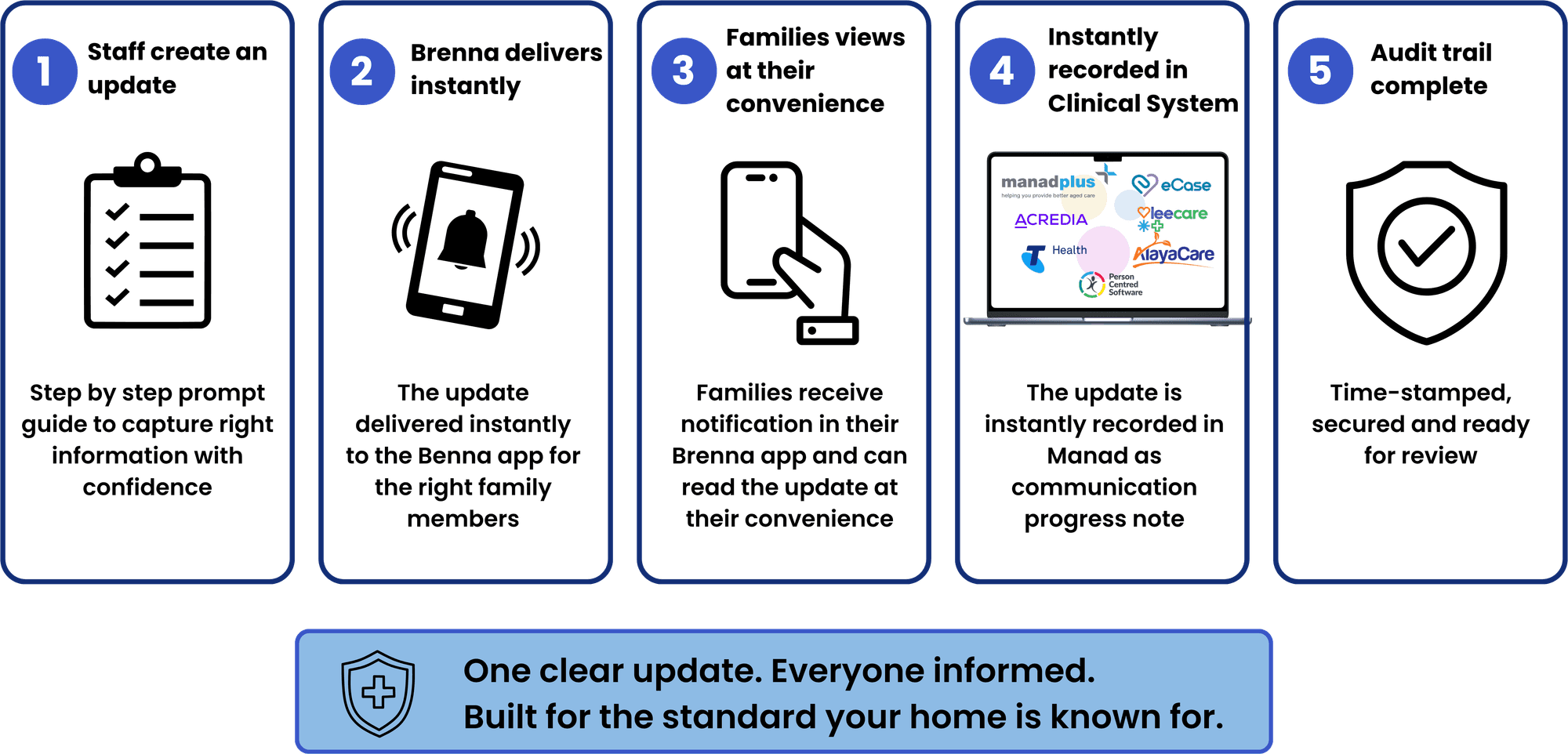
The loop

Five steps. Nothing left to memory.

Brenna's five steps: 1. Staff create an update. 2. Brenna delivers instantly. 3. Families view at their convenience. 4. Instantly recorded. 5. Audit trail complete. One clear update. Everyone informed.

Two experiences, one record

Simple for care teams. Reassuring for families.

What care teams do

  1. 1Select: Choose the resident and type of update.
  2. 2Create: Follow guided prompts to share clear, consistent information.
  3. 3Send: One update reaches all authorised family members.
  4. 4Finish: A progress note is automatically recorded in the clinical system.

What families experience

  1. 1Stay informed: Receive timely updates about their loved one's care and wellbeing.
  2. 2Reduce worry: Colour-coded priorities help families feel reassured.
  3. 3Feel connected: Hear about everyday moments and activities, as well as changes in care.
  4. 4Stay up to date: Access previous updates whenever they need them.

A closer look at Brenna

Clever features that make communication easier.

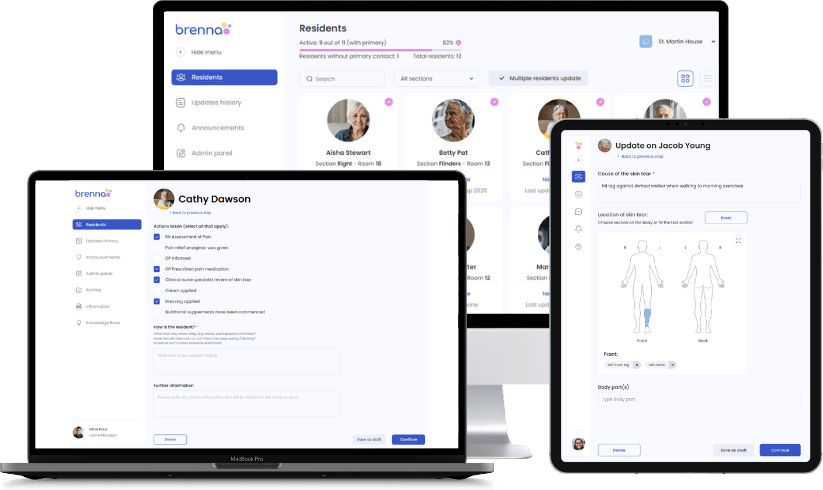
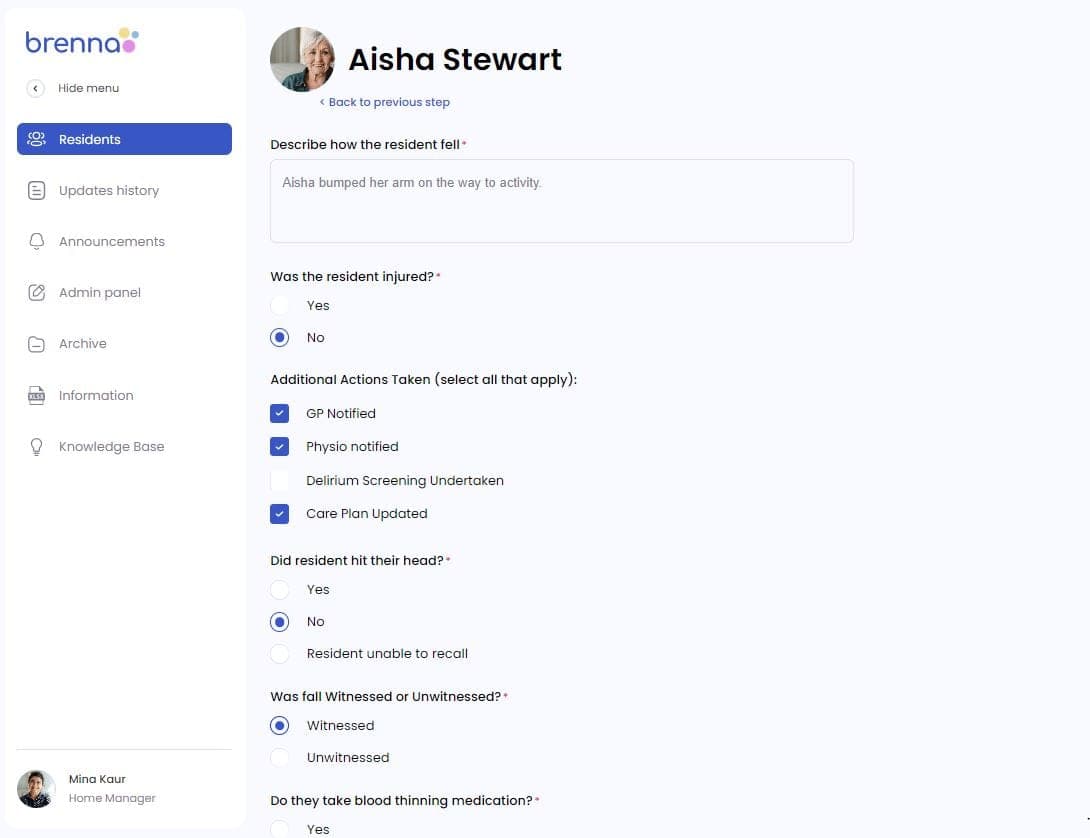
A guided update in Brenna: the nurse describes what happened and ticks the actions taken

Guided updates

A clear update in under a minute

Simple prompts guide staff to create clear, consistent updates, sent to all authorised family members at once.

  • Aged-care-specific prompts
  • Traffic-light priorities
  • One update to all authorised family members
  • Clinical and social updates about each resident
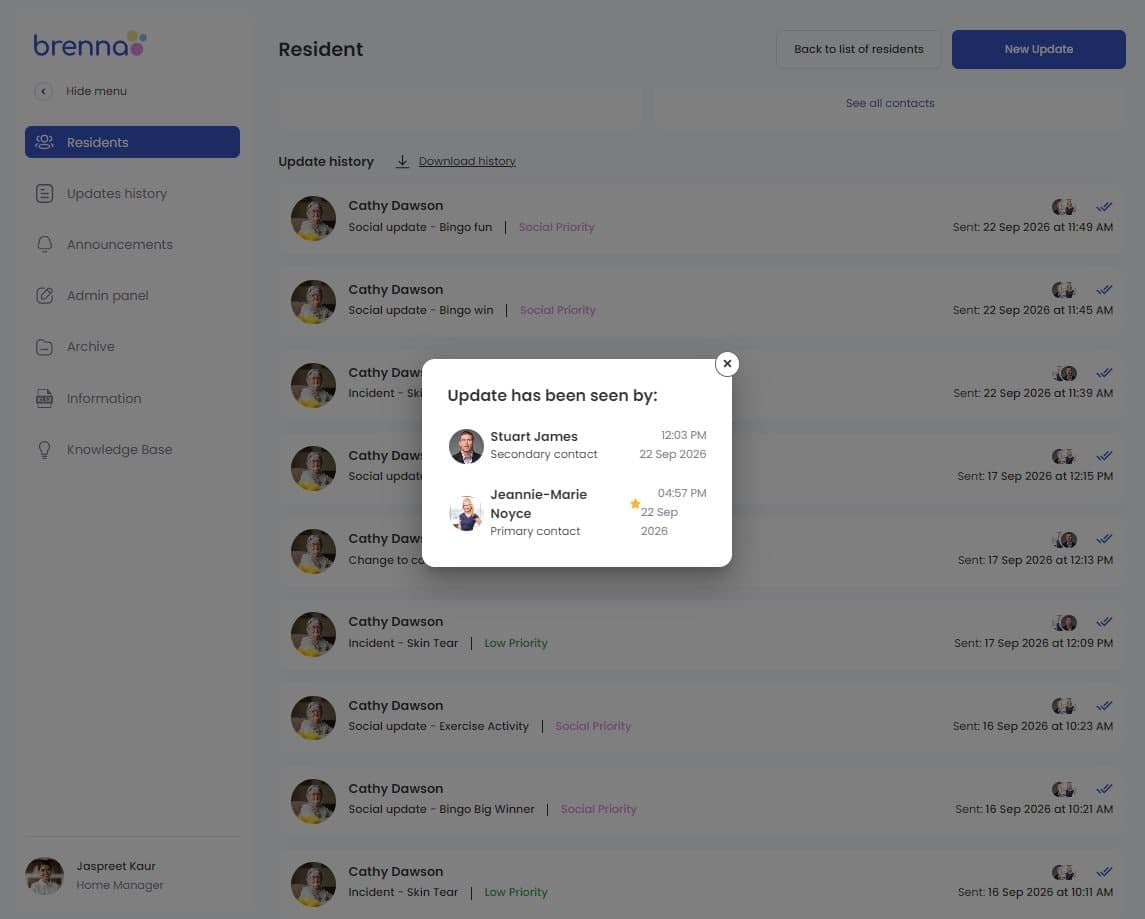
Brenna staff screen showing which family members have read an update, with the time each read it

Read receipts and automatic follow-up

Know it was read, not just sent

See when each family member received and read their update, with automatic reminders for unread messages.

  • Read receipts and timestamps
  • Automatic reminders
  • Follow-up alerts for staff
  • Family activation status
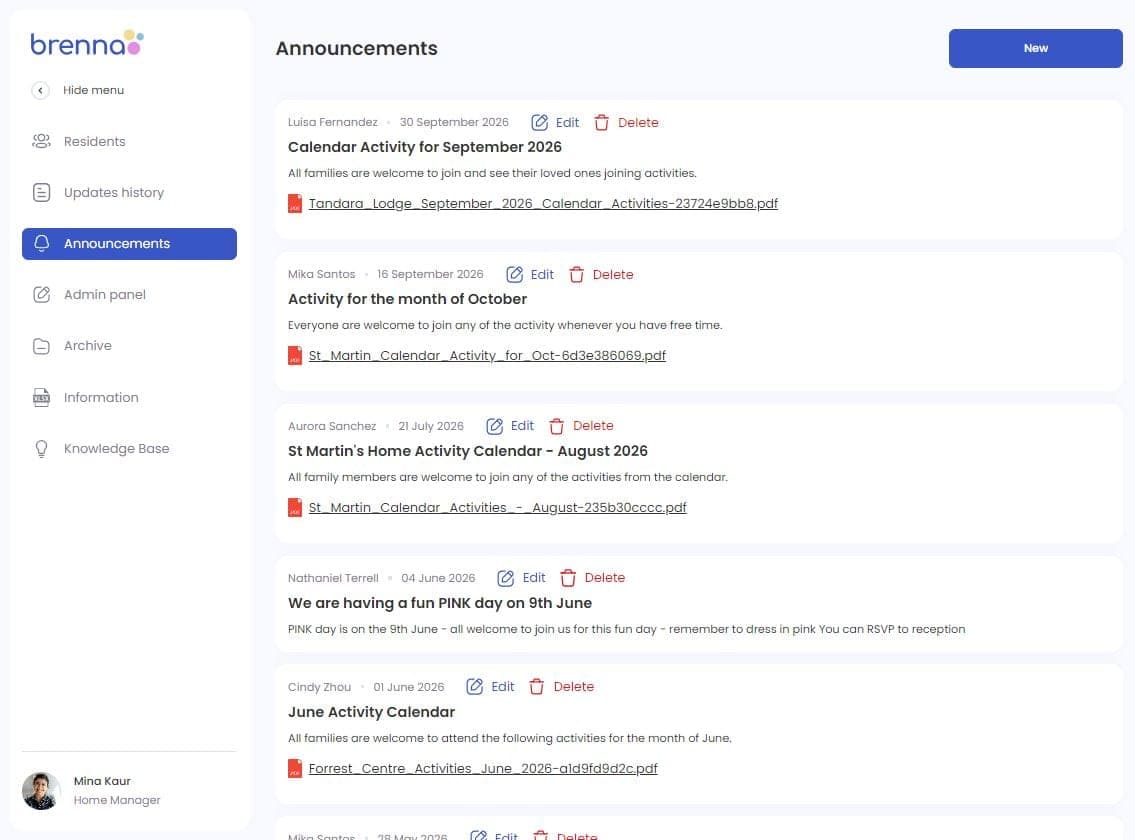
Brenna announcements: activity calendars and news sent to every family across the home

Announcements

Keep every family informed at once

Share important news, events, newsletters and changes across the home with all families in one simple announcement.

  • Reach every family across the home
  • Instant RSVPs
  • Calendars and newsletters

New: Brenna Forms & e‑Signing Module

Take the headache out of forms, consent and signatures.

Brenna brings the entire forms and signing process into one simple digital workflow, saving valuable staff time and making it easier for families, residents and clinicians.

  • Save staff timeReduce paperwork, chasing signatures and manual follow-up.
  • Stay organisedTrack outstanding forms, send reminders and manage renewal dates.
  • Stronger governanceSecurely store completed forms with a clear audit trail of what was signed and when.
  1. 1CreateBuild reusable digital forms or use your existing PDFs.
  2. 2SendChoose who needs to complete, approve or sign.
  3. 3SignFamilies, residents, staff and clinicians can sign electronically.
  4. 4TrackSee what is outstanding, send reminders and keep a complete audit trail.
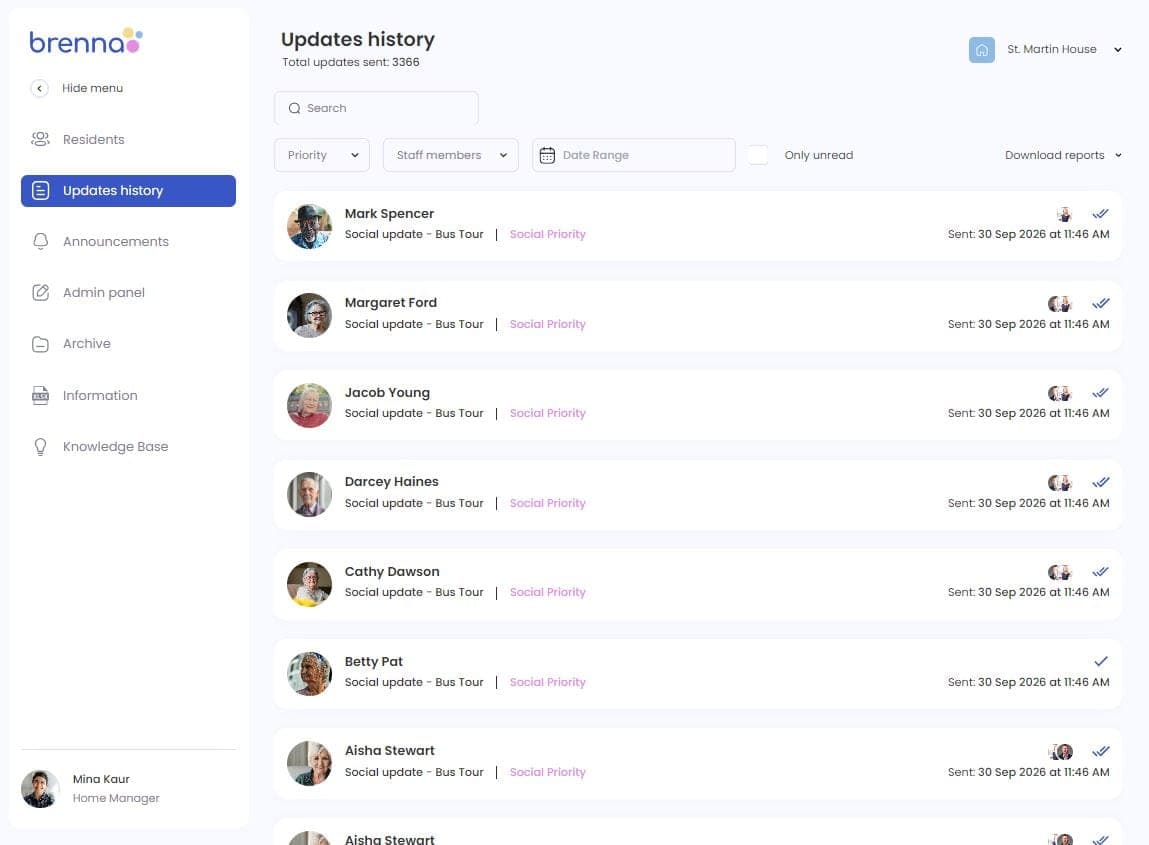
Brenna update history: every update, who sent it, when, and who has read it

Update history and oversight

Every communication in one place

Managers have a clear view of communication across the home, with easy access to each resident's update history, read receipts and outstanding follow-up.

  • Complete, timestamped communication history
  • See who sent and read each update
  • Clear evidence for audits and re-registration
  • Resident of the Day
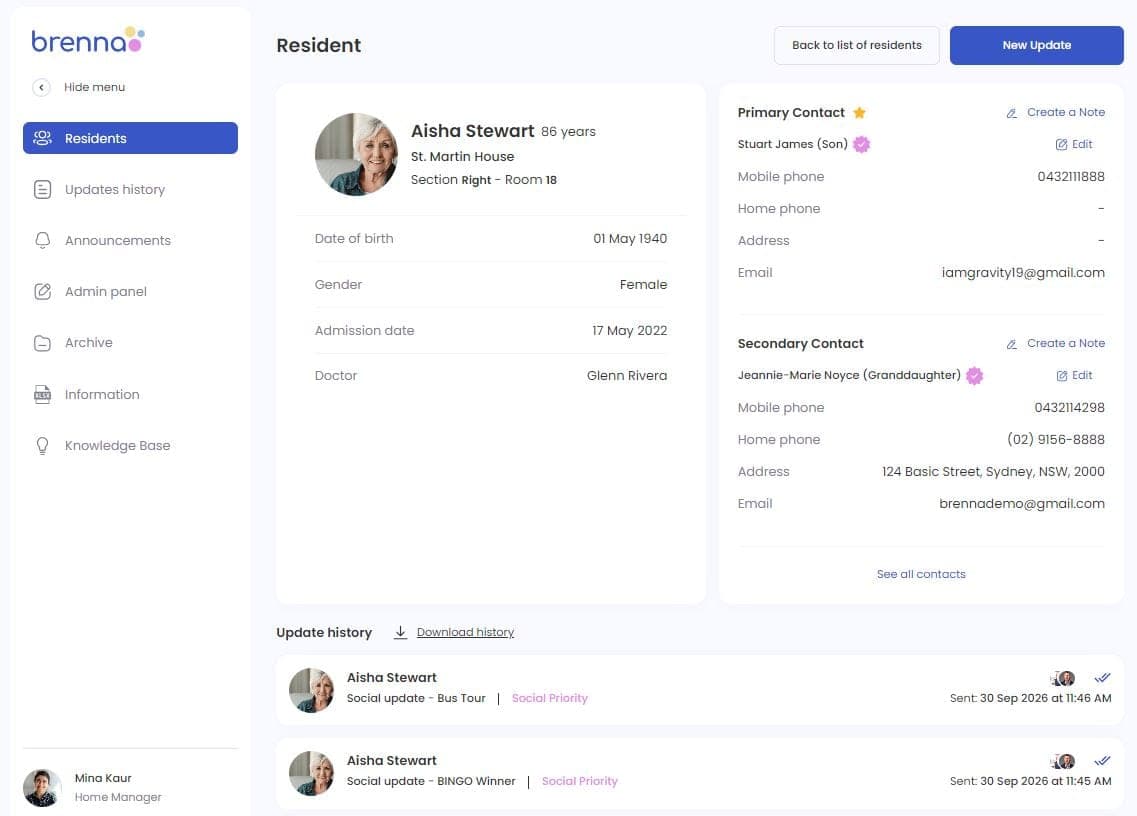
A resident profile in Brenna with primary and secondary contacts kept in sync with the clinical system

Clinical record integration

One update. Automatically documented.

Resident, family and staff information stays synchronised with your clinical system, while relevant updates automatically create progress notes.

  • Integrates with leading aged care clinical systems
  • Automatic progress notes in supported systems
  • Microsoft Entra ID single sign-on where enabled
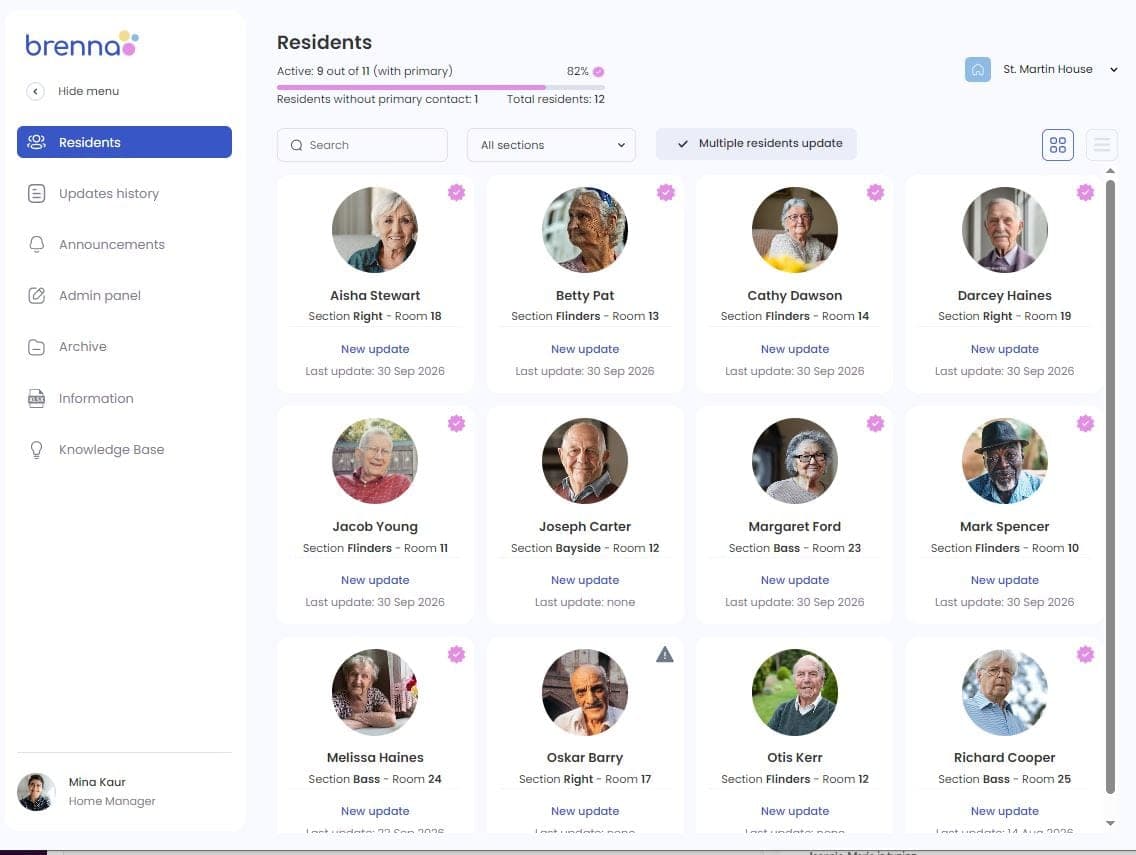
Brenna residents overview, showing which residents have family members connected

Family activation

Making it easy for families to get connected

Brenna makes it simple for families to get started, with personalised email invitations and professionally prepared communication materials for each aged care home.

  • Free app for families on iPhone and Android
  • Track family activation across the home
  • Personalised invitations by email
  • Ready-to-use family letters and brochures

One-way communication, designed to give nurses more time for care

Brenna keeps families informed without creating another inbox for busy care teams to manage. One update reaches all authorised family members, giving everyone the same information while saving nurses from repeated phone calls and follow-up. Conversations that need a personal touch can still happen directly with the care team.

See the difference Brenna can make in your home.

Discover how Brenna gives nurses more time for care, keeps families informed and makes every communication count.